The 10 Prompts Swipe File
The exact sentences that replace the 6-tab sales stack. Copy, paste, get clients.
ps - if you'd rather we set the whole thing up with you live, book a setup call with the Founder of Reachium.
Don't have a Reachium account yet? Make your Reachium account here
⭐️ Reply rate 18% to 29% in 30 days running these exact prompts ⭐️
Why prompts beat tools
The old outbound setup: Sales Nav to find leads, a scraper to pull them, a sequencer to message them, a spreadsheet to track them, and you at 11pm writing the copy. Five subscriptions, six tabs, endless copy-pasting between them.
With Claude connected to LinkedIn through Reachium, the whole chain is 10 sentences. The tools did not get better. The glue between them disappeared.
Every prompt below does the work, then shows you the result to approve. Nothing sends without you.
Finding leads (P1-P3)
P1, the search. Replaces Sales Nav.
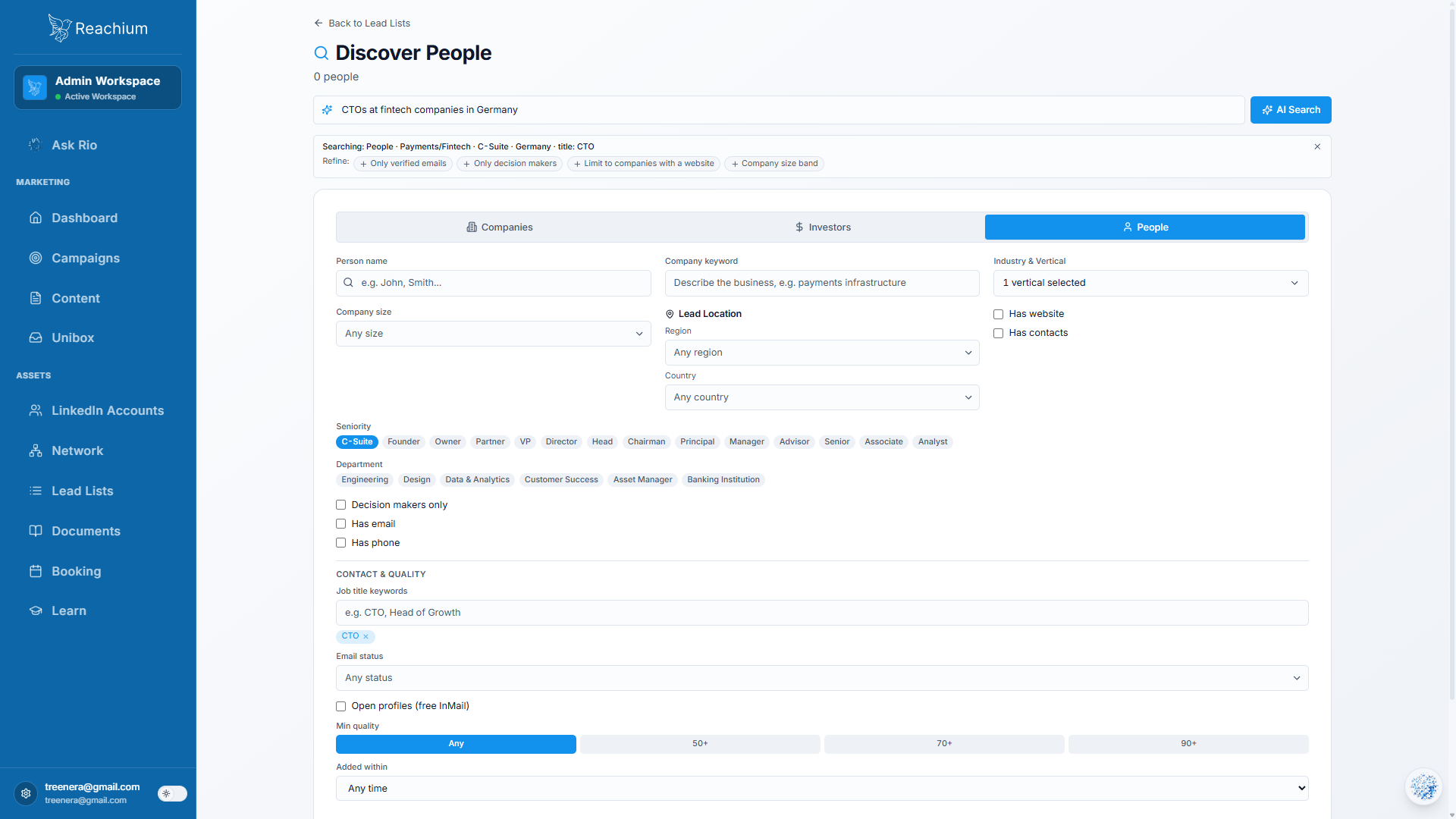
Search the database for [title] at [industry] companies with [size] employees in [region] who posted or commented in the last 30 days. Show me a sample of 10.P2, the list. Replaces the scraper and the CSV cleanup.
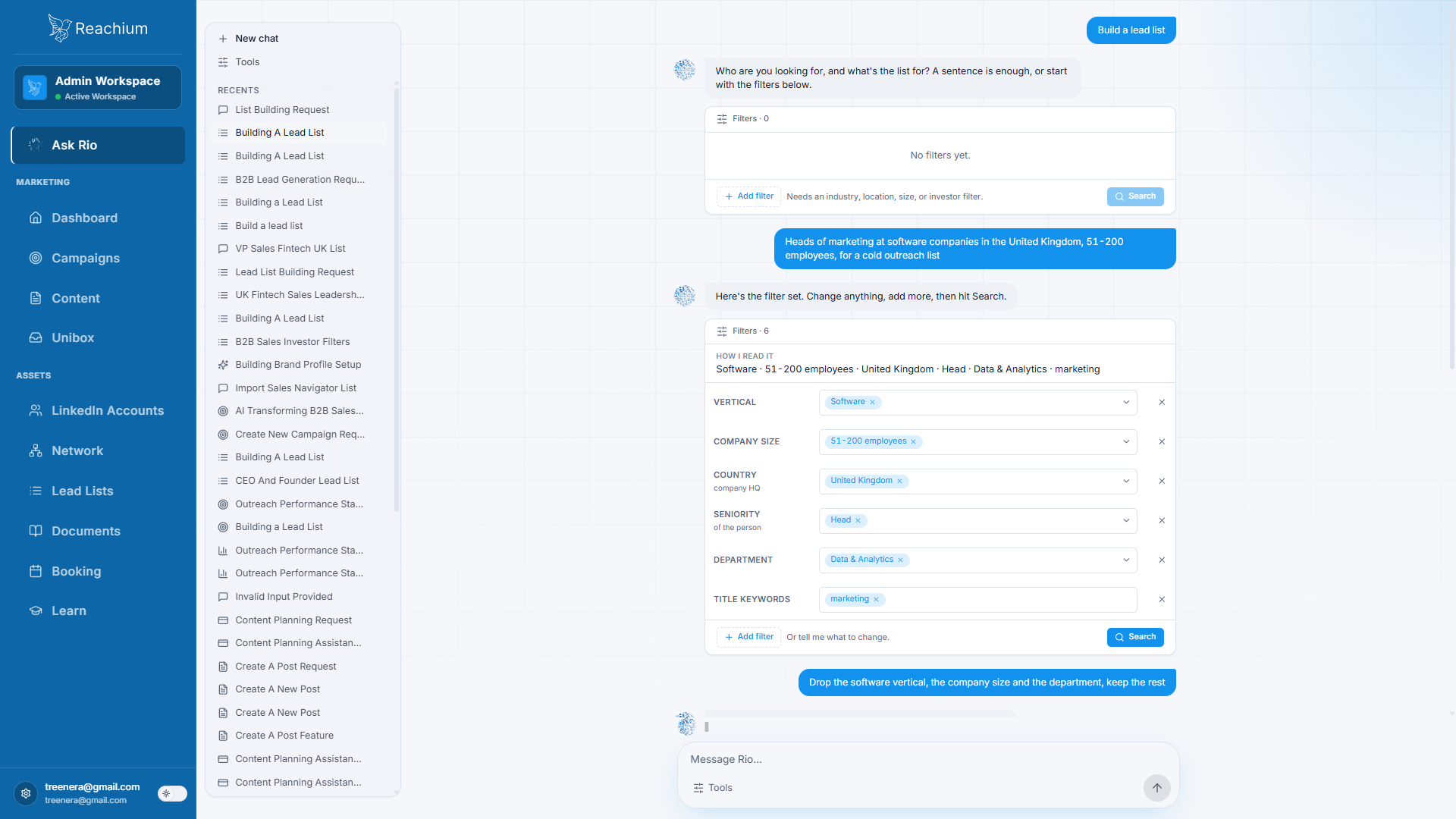
The sample fits. Build me a lead list of 100. Exclude competitors, current clients, and anyone I have already messaged.P3, the top-up. Replaces remembering to do it.
Every Monday, top this list back up to 100 with fresh leads from the same search.Writing and launching (P4-P7)
P4, the campaign. Replaces the copywriter (or you at 11pm).
Draft a 3-step connection campaign for this list in my voice. Under 300 characters per message. Message 1 is a real observation, message 2 adds value, no pitch until message 3. Show me everything before anything sends.P5, the voice pass. Replaces the second draft you never had time for.
Message 2 sounds stiff. Rewrite it more casual, like I would text a colleague.P6, the launch. Replaces the sequencer.
Activate the campaign at 25 connection requests a day.P7, the test. Replaces guessing.
Run an A/B test on message 1: version A opens with their recent post, version B opens with a question about their role. Tell me the winner after 200 sends.Inbox and follow-ups (P8-P10)
P8, the daily sweep. Replaces the spreadsheet and the dread.
Go through my inbox and show me the replies where someone asked a question, mentioned pricing, or sounds interested. Draft a suggested reply for each.P9, the quiet ones.
Show me everyone who accepted but went quiet after message 3.P10, the close. Replaces the follow-up that always slipped.
For everyone who replied with interest, draft a short reply that offers my calendar link. For everyone else, queue a light follow-up in 3 weeks.The run order
Day 1: P1 -> P2 -> P4 -> P5 -> P6. Empty pipeline to live campaign in one sitting.
Daily: P8, ten minutes.
Weekly: P3, P9, P10, and check P7's verdict.
That is the whole operating rhythm.
The 2 things you should still do manually
Read and approve every message before a campaign goes live. Your name is on it.
Have the actual conversations. When a real buyer replies, a human closes. P8 finds them; you talk to them.
What to cancel
Once the 10 prompts are running: the scraper, the sequencer, and the tracking spreadsheet go first. Keep whatever CRM your deals live in; Claude can push to it. The point was never fewer tools. The point is that you stopped being the glue.
Want it running by Friday?
Ten sentences. Type the first one today.
- Jordan Kwan, founder of Reachium