The 6 Claude Skills That Write My LinkedIn Posts
Copy these 6 files, fill in the blanks, and every draft starts 90 percent done and sounds like you.
ps - if you'd rather we build your whole LinkedIn system for you, book a call with me here.
Don't have a Reachium account yet? Make your Reachium account here
⭐️ Trusted by 2,500+ sales teams ⭐️
Why your AI posts sound like AI
What most people do:
Open Claude with a blank prompt every time
Type "write me a LinkedIn post about X"
Get something smooth, generic, and lifeless
Edit it for 40 minutes anyway
Watch it get 6 likes
What actually works:
Teach Claude what good looks like, once, in writing
Give it your topics, your voice, your proof, your rules
Let every draft start from that foundation
Edit for 5 minutes, not 40
The skill was never typing the words. The skill is knowing what good looks like, specifically enough to write it down.
That is what these 6 files are. This guide came out of them too.
What a "skill file" is
A skill file is a document Claude reads before it writes anything for you.
You write each file once. From then on, every draft starts with your topics, your hooks, your voice rules, and your real proof already loaded. No re-explaining yourself in every chat.
Six files cover the whole job: what to post, how to open, how to write, what image to use, what your brand can claim, and when to post what.
Install them in 3 minutes
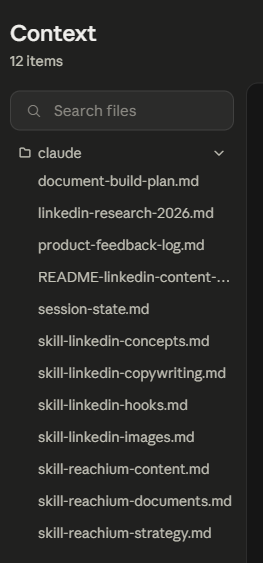
Open Claude and create a new Project (call it "LinkedIn Content")
Copy each of the 6 templates below into its own project file, filling in every [FILL IN] blank
Add one instruction to the project: "Read all 6 skill files before drafting any post"
That is it. Every conversation in that project now writes like you.
Further down I will show you the upgrade: connecting these files to Reachium so Claude does not just write the posts, it publishes them, schedules them, and runs your lead funnels too.
File 1: Concepts (what to post)
This file stops the "what should I post today" spiral. It locks your topics and gives Claude a menu of proven post shapes to pull from.
CONCEPTS FILE

My 3-5 topics (80 percent of posts stay inside these):
1. [FILL IN: a topic you know deeply]
2. [FILL IN: a topic your ideal client cares about]
3. [FILL IN: a topic connected to what you sell]

Tag every idea with a funnel level before writing:
- Top of funnel: rides news or a contrarian take. Judged by reach and comments.
- Middle: playbooks, teardowns, numbers. Judged by saves and profile visits.
- Bottom: proof, case studies, offers. Judged by leads and calls.

The 20 proven post types to rotate:
1. Origin or turning-point story
2. Industry hot take
3. Sharp observation about the market
4. Myth-busting (myth vs reality)
5. Prediction post
6. News reaction (move within hours)
7. X vs Y comparison
8. "I was wrong about X"
9. Step-by-step playbook (name the system)
10. "How I did X" with real numbers
11. Data or benchmark post
12. Tool stack
13. Teardown of a known company or creator
14. "N lessons from X"
15. Listicle
16. Behind the scenes
17. Client result breakdown (real result only)
18. Build-in-public update
19. Soft product showcase (product appears as the incidental tool)
20. Launch post (a campaign, not an announcement)
File 2: Hooks (the first 3 lines)
The hook is everything visible before "see more". Readers decide in 3 seconds. This file carries the rules the data supports, from studies of over 1.5 million posts.
HOOKS FILE

Rules:
- Write the post body first, the hook last
- Line 1 under 8 words. Under 40 characters wins.
- Numbers in line 1 lift engagement about 35 percent. Specific beats round.
- Statements beat questions. Question hooks are the worst performing class.
- Line 2 must escalate line 1, never explain it.
- Draft 5 to 10 hooks per post, pick the sharpest.

My 5 best hooks so far (reuse their shape, not their words):
1. [FILL IN after your first wins]
2. [FILL IN]
3. [FILL IN]
Bad: "Have you ever wondered how top creators write their hooks?"
Good: "I studied 1.5 million posts. Question hooks lose."
File 3: Copywriting (the body)
The 2026 feed suppresses AI-sounding posts. This file is the difference between sounding typed and sounding generated.
COPYWRITING FILE

- 800 to 1,500 characters. One idea per paragraph. Blank line between paragraphs.
- 7th grade reading level. Plain words. Front-load every line.
- Arrow bullets (->) and numbered lists carry list posts.
- No em dashes. No hashtags. No bold (LinkedIn strips it). Straight quotes.
- Emojis: almost never.
- Banned phrases: "I hope this finds you well", "thrilled to announce",
  "game-changer", "unlock", "leverage", "Here's what", "It's not X, it's Y",
  "The result?", "Stop X, start Y"
- The test before posting: would a busy human have typed this?

Words I actually use and want kept: [FILL IN]
Words I never say: [FILL IN]
File 4: Images (the visual)
IMAGES FILE

- Playbook or system post: simple diagram or numbered visual of the steps
- Numbers post: screenshot of the real dashboard or results
- Story post: a real photo beats a designed graphic
- News reaction: screenshot of the news itself
- When in doubt: no image beats a generic stock graphic
File 5: Brand (the facts)
The most important file. Everything Claude writes gets grounded in this, and it is the file that stops AI from inventing claims you cannot back up.
BRAND FILE

My ideal client: [FILL IN: title, industry, company size]
Their biggest pain: [FILL IN]
My offer: [FILL IN] and the outcome it gets: [FILL IN]
Proof I can use: [FILL IN: real numbers, real results, real names with permission]
Claims I never make: [FILL IN: anything you cannot prove]

Rule: if there is no proof point, the claim gets dropped, not softened.
Keep this file honest. One invented number costs more trust than ten modest posts earn.
File 6: Strategy (when to post what)
STRATEGY FILE

- 3 to 5 posts a week, spaced at least 18 hours apart
- Majority lead magnet posts (comment keyword + resource), 1-2 trust posts
- Judge each funnel level by its own metric (see Concepts file)
- Comments are the real objective on lead magnets: every commenter
  gets the resource in their DMs
- A winning post reruns with a new angle after 6 to 8 weeks
The test drive
Once the files are in, run this:
Read my 6 skill files, then draft a LinkedIn post about [topic].
Give me 5 hook options across different patterns.
Flag anything in the draft my Brand file cannot support.
Your first draft should come back sounding like you on a good day. If it does not, the fix is always the same: make the files more specific.
The upgrade: make the files DO something
Here is the ceiling of the free version: Claude writes a great post, and then everything else is still on you. Copy it, post it, watch the comments, DM every person, follow up, track it.
That is where Reachium comes in. Reachium connects Claude straight to LinkedIn, so the same files start running the whole machine.
Connect it in 7 steps:
Get your Claude account and your Reachium account
Open Claude and head to your settings
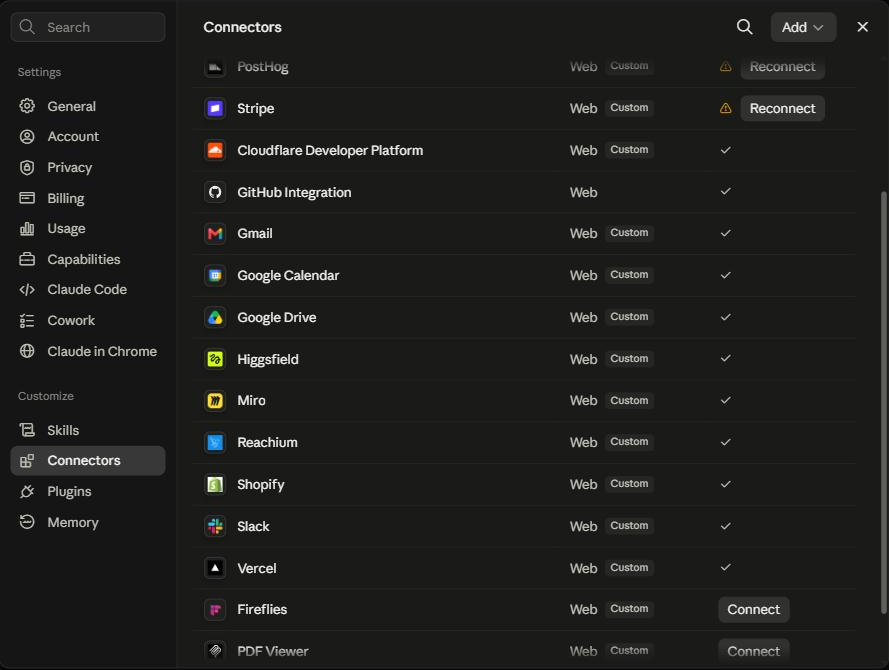
Click Customize, then Connectors, then Add, then Add Custom Connector
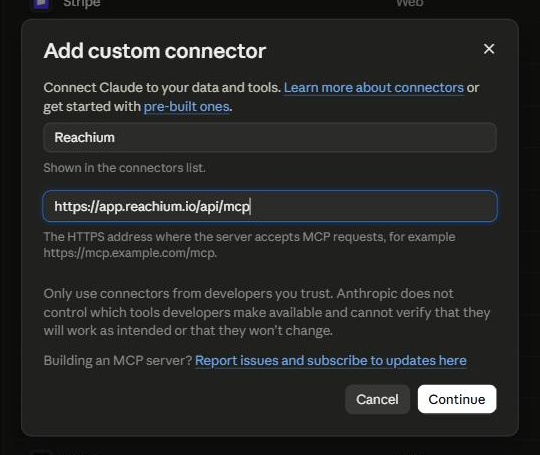
Name it Reachium
Paste in the Reachium MCP endpoint: https://app.reachium.io/api/mcp and click Add
Click Connect
Choose your workspace and hit Approve
Now the 6 files level up:
Your Brand file becomes a live brand profile. Paste it once:
Store this as my brand profile in Reachium: [paste your Brand file]From then on every post AND every outreach campaign in Reachium is grounded in it automatically.
Your content runs inside Reachium. Instead of copy-pasting drafts:
Read my skill files, then draft this week's 3 posts in Reachium
and schedule them across the week.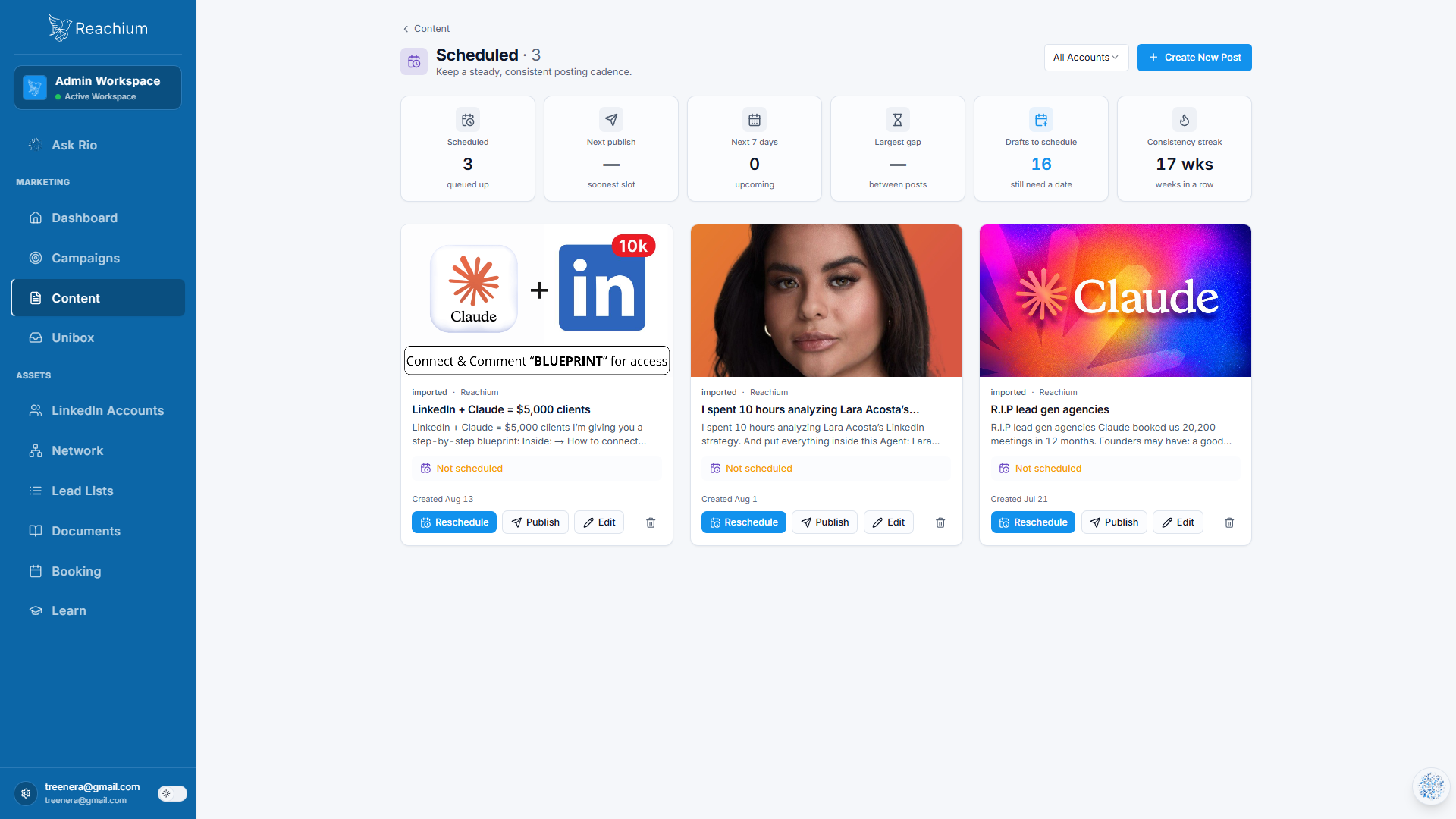
Claude drafts them, you approve, the scheduler posts them. Your profile stays active without you thinking about it.
Your posts grow a funnel. The exact play that delivered this guide to you:
Draft a lead magnet post for my new guide. Comment keyword: [WORD].
Set up the campaign so everyone who comments gets it in their DMs.
Someone comments, Reachium accepts their pending invite, the resource lands in their DMs, and they become a first-degree connection you can talk to. You are inside that funnel right now.
Your first 48 hours
Today: fill in File 5 (Brand) first, then the other five
Today: create the Claude Project and load all 6 files
Tonight: run the test drive prompt and draft your first post
Tomorrow: post it, then draft the rest of your week
Day 2: connect Reachium (7 steps above) and store your brand profile
Day 2: schedule next week's posts from one Claude conversation
Want the whole machine built for you?
These files get you the content. Connected to Reachium, the same Claude runs your outreach, your inbox, and your comment funnels from the same conversation.
If you'd rather we set the entire system up with you live, that is what we do.
Stop staring at a blank prompt. Write the files once, and let Claude do the typing.
- Jordan Kwan, founder of Reachium